mirror of
https://github.com/zhigang1992/react-native-firebase.git
synced 2026-04-18 12:12:23 +08:00

863 B
863 B
title, description
| title | description |
|---|---|
| Crashlytics - iOS Setup | Additional iOS steps for Crashlytics integration |
Crashlytics for iOS requires an additional manual step once the package has been installed. You'll need Xcode for the following steps.
1. Add Build Phase
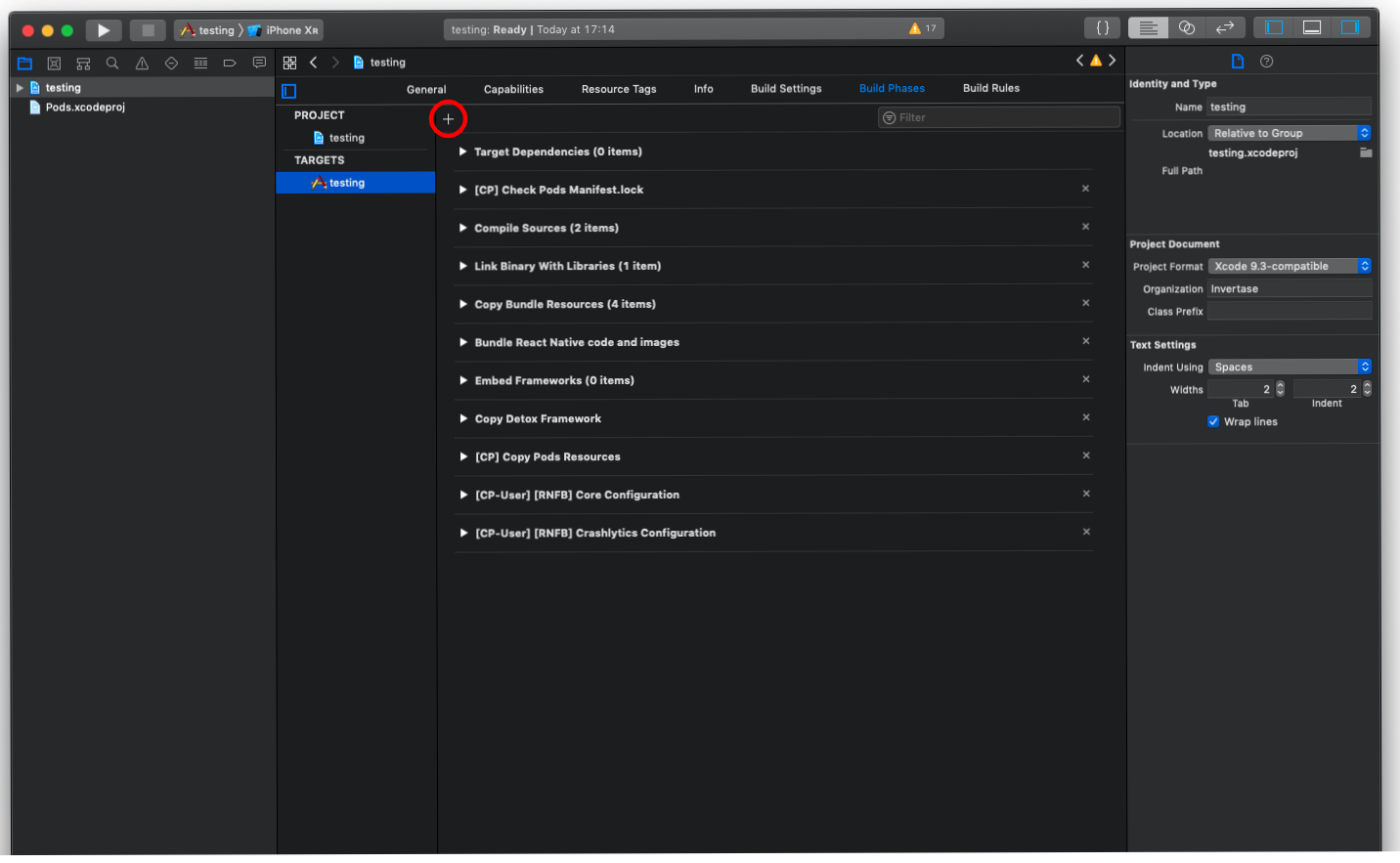
Open your project in Xcode, and select the project file in the Navigator. Select the 'Build Phases' tab & add a 'New Run Script Phase':
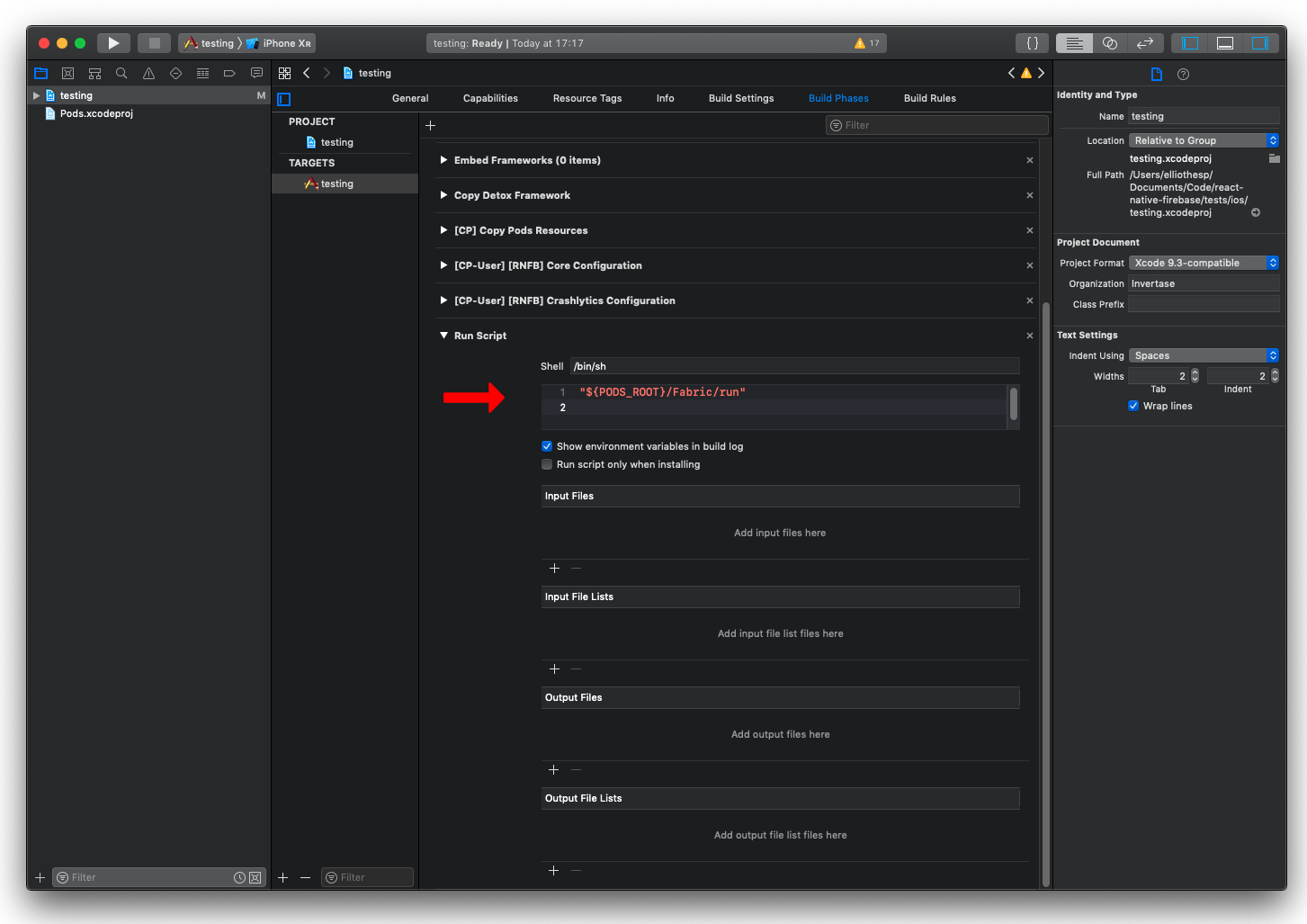
In the new build phase, add a new script into the text box:
"${PODS_ROOT}/Fabric/run"
2. Rebuild the project
Once the above steps have been completed, rebuild your iOS project:
npx react-native run-ios