 62138b7511
* apple integration cloud messaging

* split ios apple integration docs

* rchanged duplicate title

Co-authored-by: Mike Diarmid <mike.diarmid@gmail.com>
1.7 KiB
title, description
| title | description |
|---|---|
| Configure Xcode Project notification capabilities | Configure your Xcode Project capabilities to support Remote Notifications for FCM. |
Configure Xcode Project notification capabilities
Enable Capabilities
After you have set up the certificates, you have to enable push notifications in Xcode.
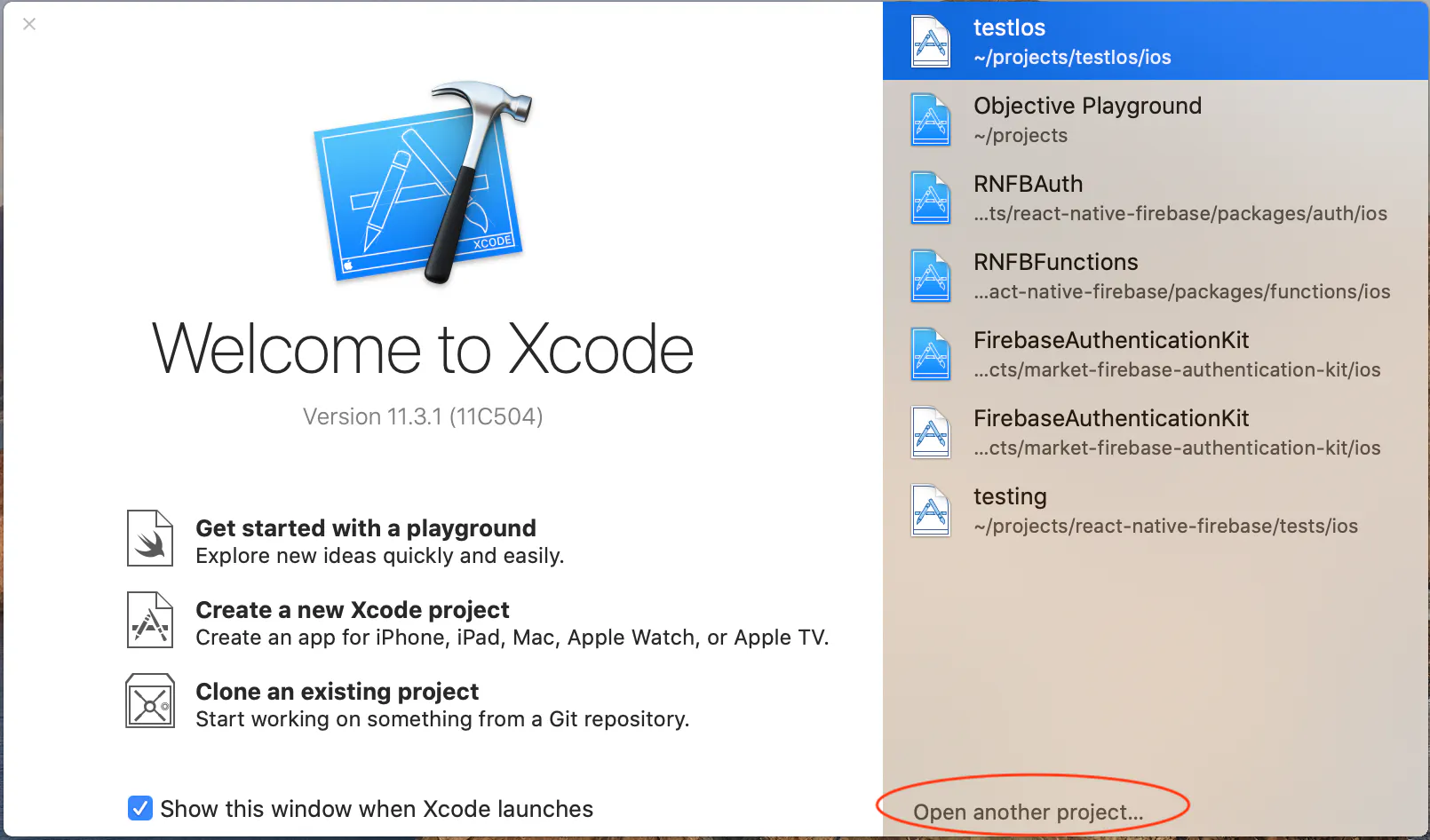
Step 1:
Open your react native project in Xcode. Click Open another project...
Step 2:
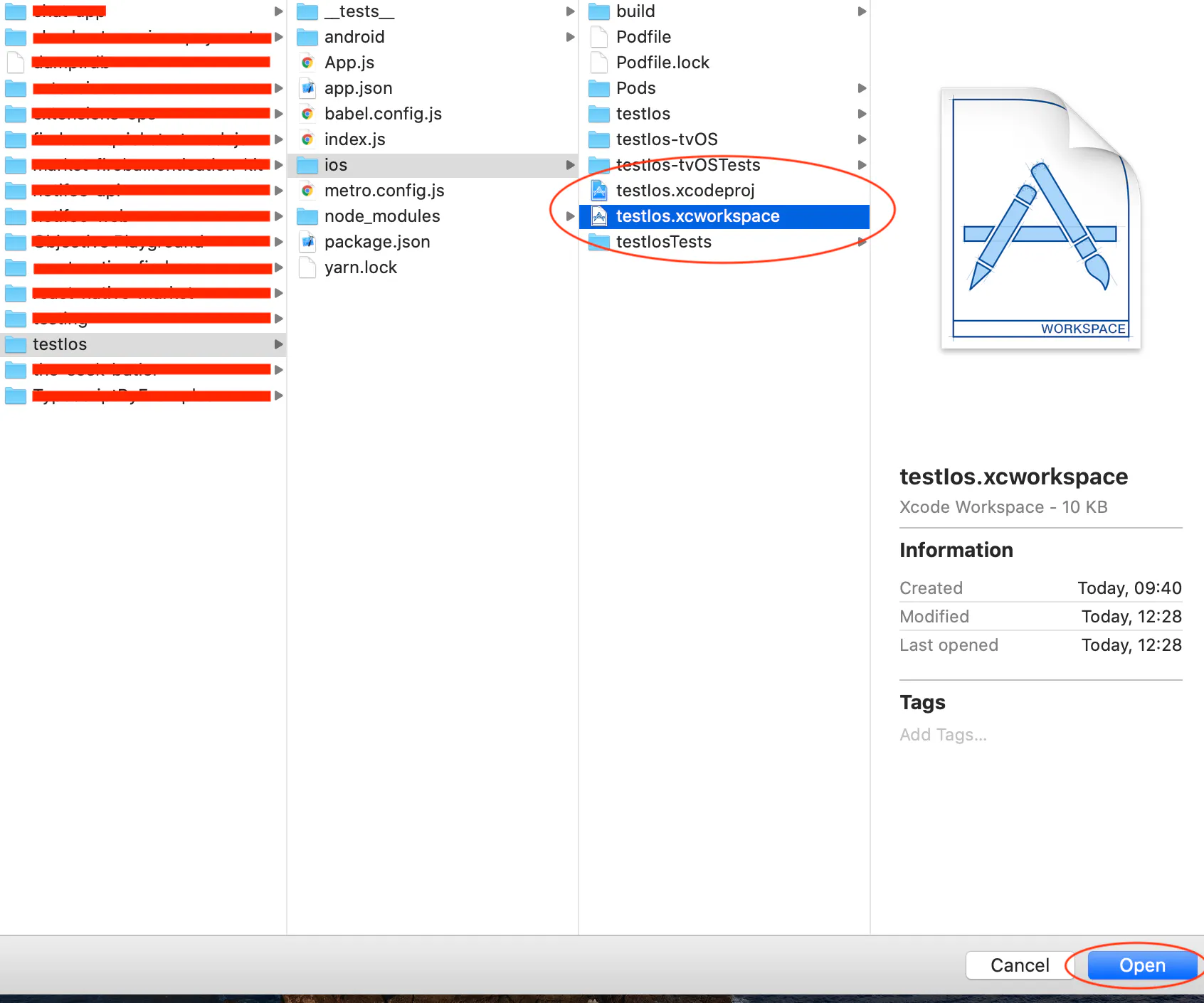
Open path/to/project/testIos/ios/testIos.xcworkspace and click open
Step 3:
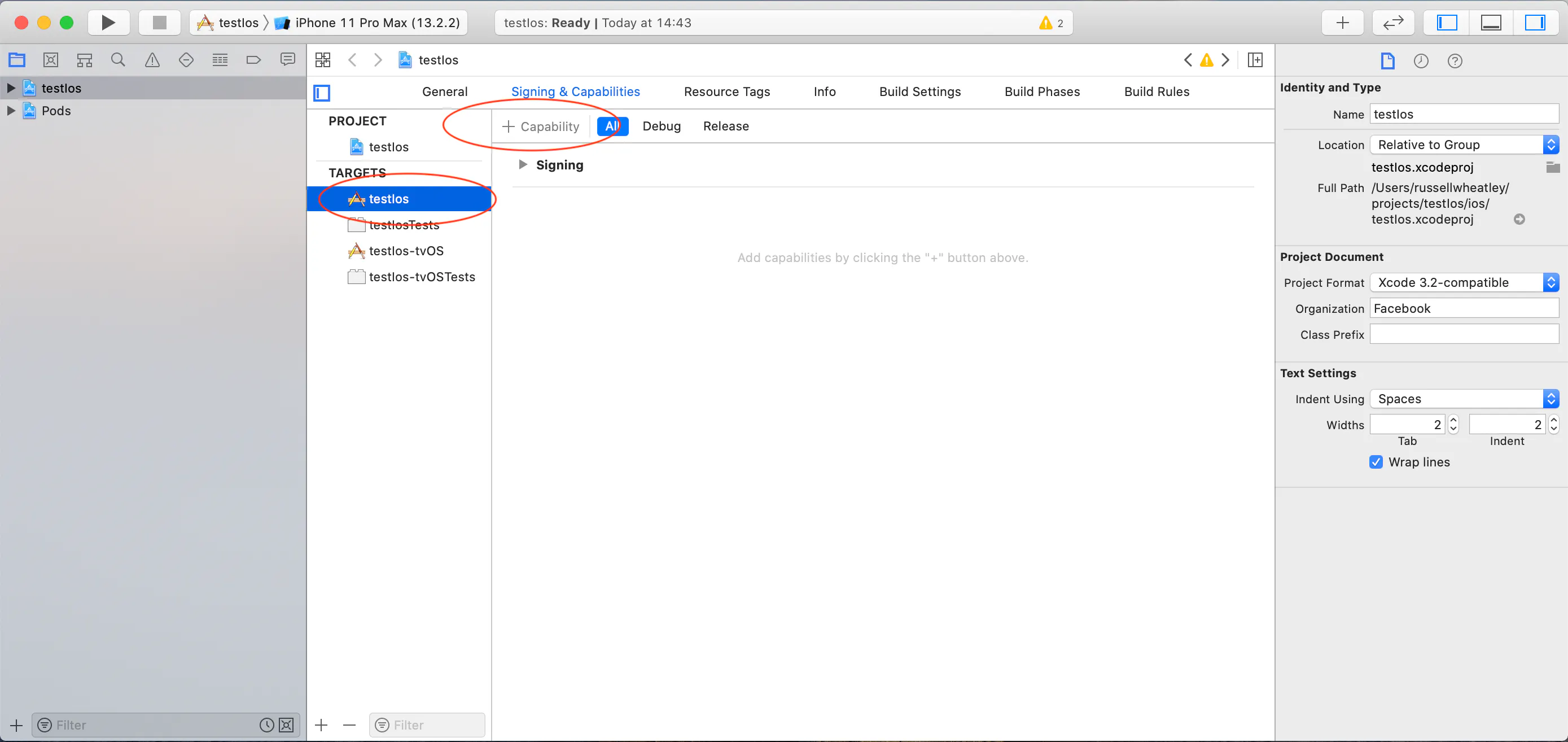
Click the target which is the name of the project, in this instance, the name is testIos. Then click + Capability.
Step 4:
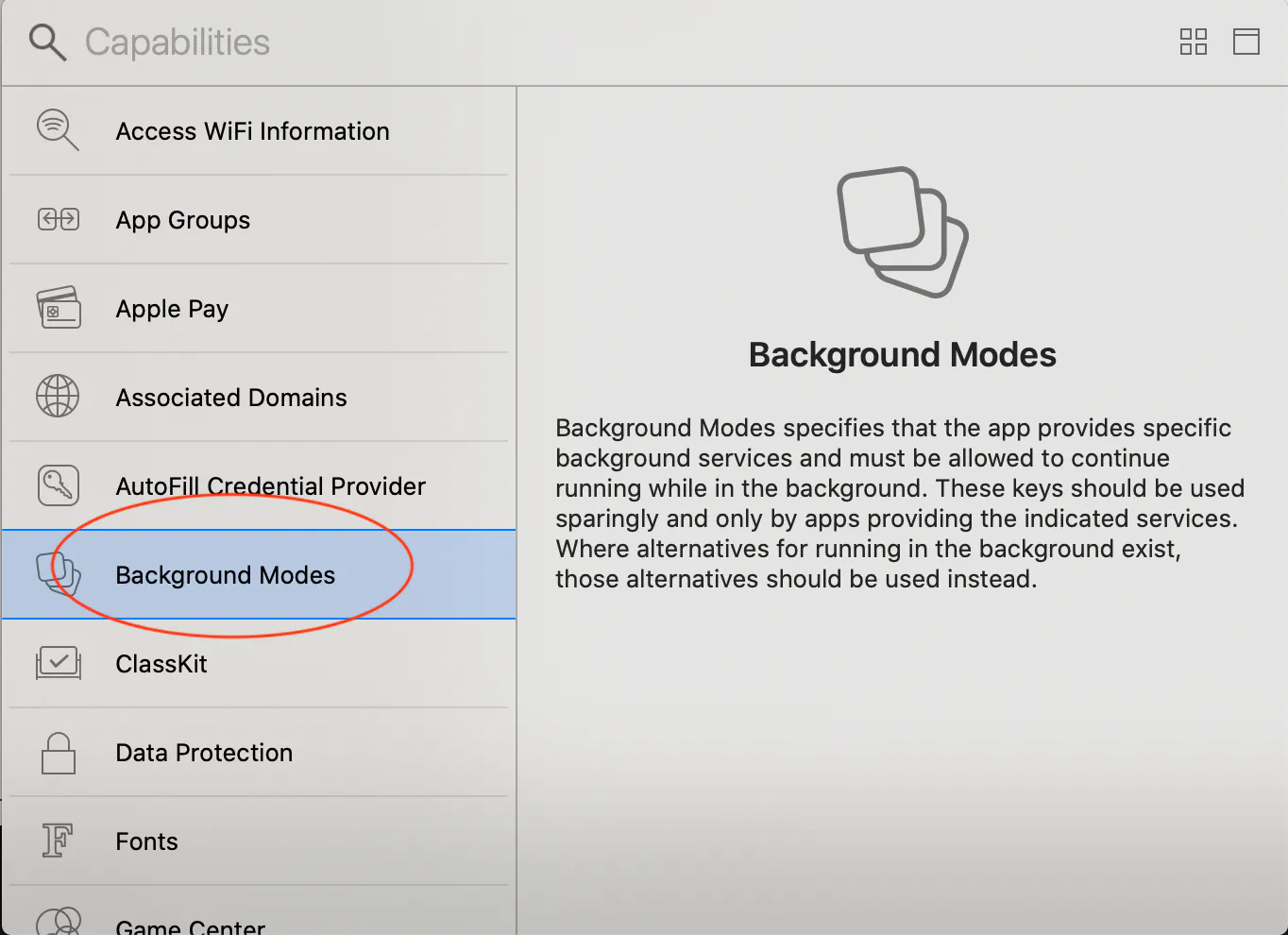
Select Background Modes & Push Notifications (Not shown on screenshot).
Step 5:
Your screen ought to have Background Modes & Push Notifications as highlighted. Please select Remote notifications.
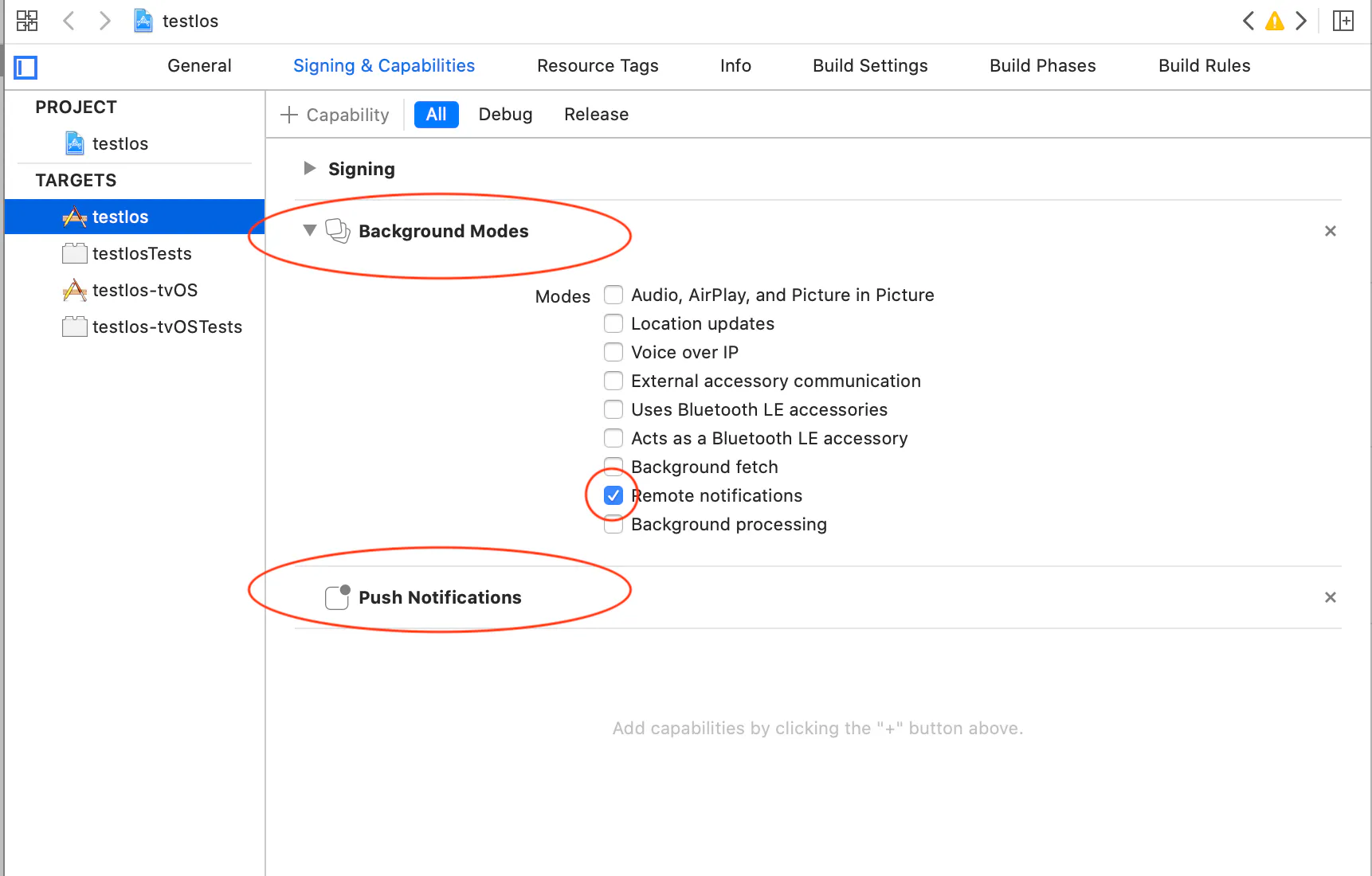
Congratulations. You have now configured Xcode for push notifications.
Debugging
If you're having problems with messages not being received, check out the following blog post for help: https://firebase.googleblog.com/2017/01/debugging-firebase-cloud-messaging-on.html