mirror of
https://github.com/zhigang1992/react-native-firebase.git
synced 2026-05-28 15:44:46 +08:00

31 lines
863 B
Markdown
31 lines
863 B
Markdown
---
|
|
title: Crashlytics - iOS Setup
|
|
description: Additional iOS steps for Crashlytics integration
|
|
---
|
|
|
|
Crashlytics for iOS requires an additional manual step once the package has been installed.
|
|
You'll need Xcode for the following steps.
|
|
|
|
# 1. Add Build Phase
|
|
|
|
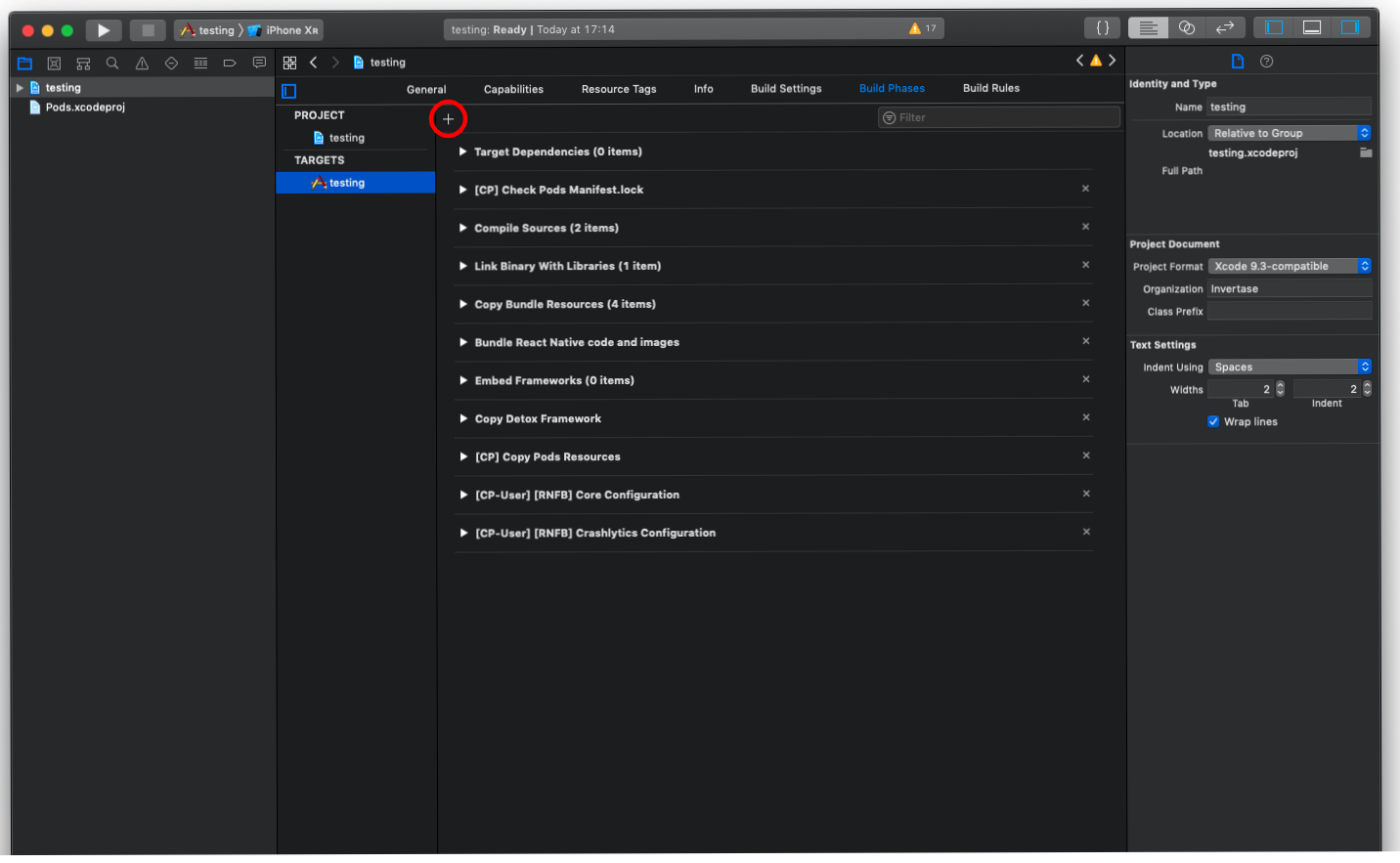
Open your project in Xcode, and select the project file in the Navigator. Select the 'Build Phases' tab &
|
|
add a 'New Run Script Phase':
|
|
|
|
|
|
|
|
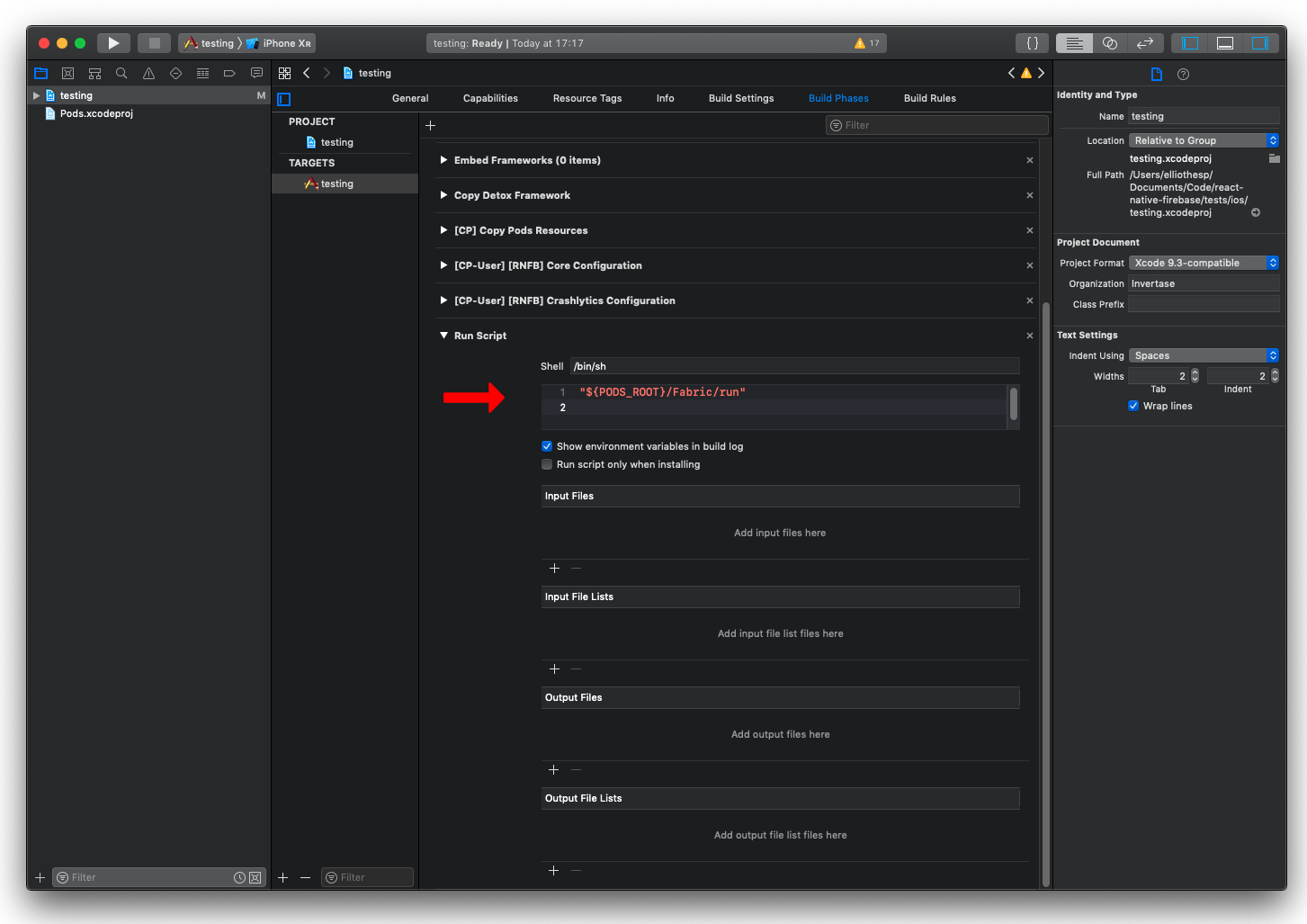
In the new build phase, add a new script into the text box:
|
|
|
|
```
|
|
"${PODS_ROOT}/Fabric/run"
|
|
```
|
|
|
|
|
|
|
|
# 2. Rebuild the project
|
|
|
|
Once the above steps have been completed, rebuild your iOS project:
|
|
|
|
```bash
|
|
npx react-native run-ios
|
|
```
|