mirror of
https://github.com/zhigang1992/probot.git
synced 2026-06-15 02:18:58 +08:00

24 lines
1.4 KiB
Markdown
24 lines
1.4 KiB
Markdown
---
|
|
next: docs/testing.md
|
|
---
|
|
|
|
# Simulate receiving webhooks
|
|
|
|
As you are developing your app, you will likely want to test it by repeatedly triggering the same webhook. You can simulate a webhook being delivered by saving the payload to a file, and then calling `probot receive` from the command line.
|
|
|
|
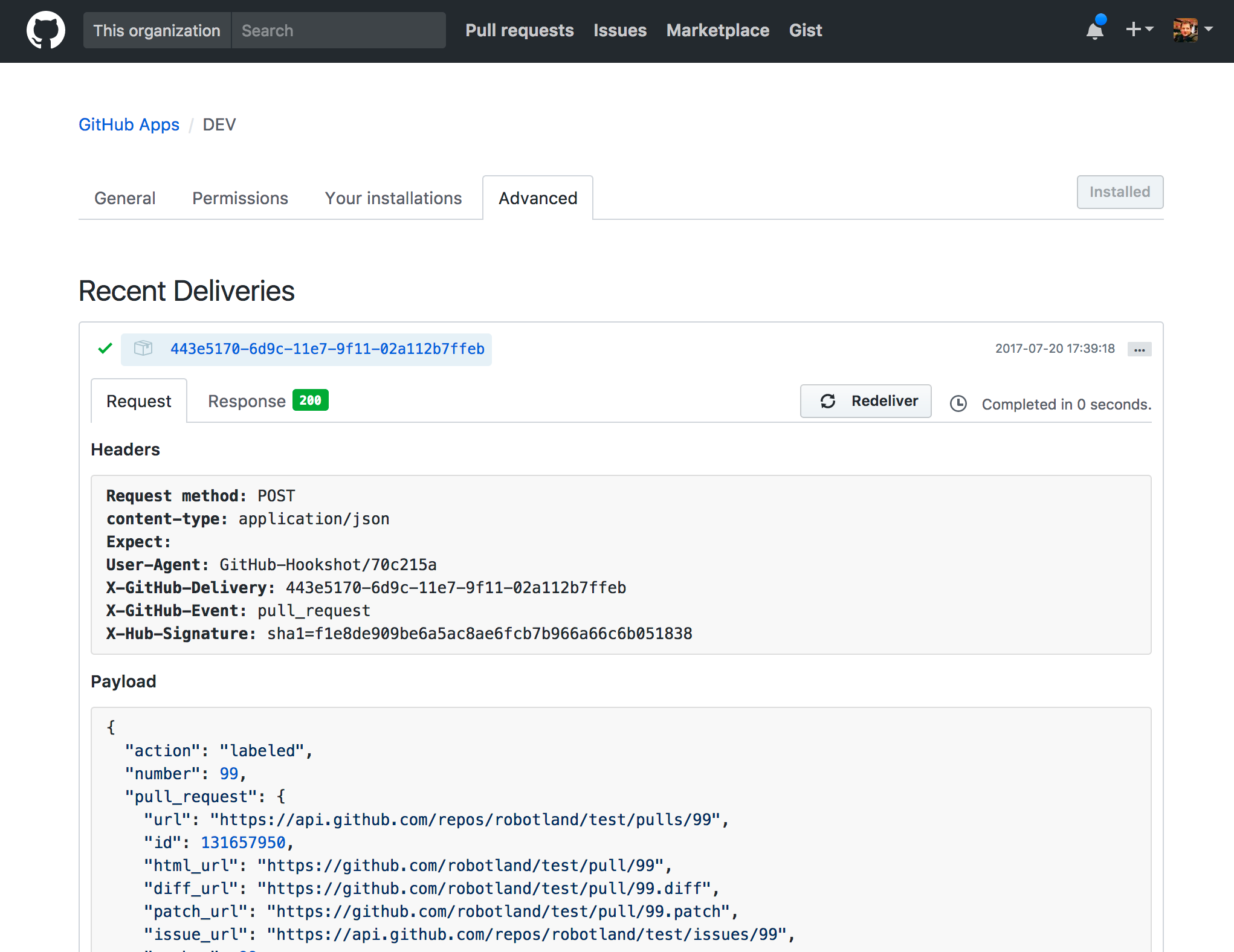
To save a copy of the payload, go to the [settings](https://github.com/settings/apps) page for your App, and go to the **Advanced** tab. Click on one of the **Recent Deliveries** to expand it and see the details of the webhook event. Copy the JSON from the **Payload** and save it to a new file. (`test/fixtures/issues.labeled.json` in this example).
|
|
|
|
**Note**: This will only receive the JSON payload, not the headers that are also sent by GitHub webhooks.
|
|
|
|
|
|
|
|
Next, simulate receiving this event being delivered by running:
|
|
|
|
$ node_modules/.bin/probot receive -e <event-name> -p <path-to-fixture> <path-to-app>
|
|
|
|
Note that `event-name` here is just the name of the event (like pull_request or issues) and not the action (like labeled). You can find it in the GitHub deliveries history under the `X-GitHub-Event` header.
|
|
|
|
For example, to simulate receiving the `pull_request.labeled` event, run:
|
|
|
|
$ node_modules/.bin/probot receive -e pull_request -p test/fixtures/pull_request.labeled.json ./index.js
|