mirror of
https://github.com/zhigang1992/probot.github.io.git
synced 2026-01-12 17:33:05 +08:00

2.0 KiB
2.0 KiB
title, description, slug, screenshots, authors, repository, host, stars, updated, installations, organizations
| title | description | slug | screenshots | authors | repository | host | stars | updated | installations | organizations | ||||||||||||
|---|---|---|---|---|---|---|---|---|---|---|---|---|---|---|---|---|---|---|---|---|---|---|
| Release Drafter | Drafts your next release notes as pull requests are merged into master. | release-drafter |
|
|
toolmantim/release-drafter | https://release-drafter.now.sh | 221 | 2018-08-11 16:29:51 UTC | 52 |
|
Usage
- Install the Release Drafter GitHub App into the repositories you wish to create releases in.
- Add a
.github/release-drafter.ymlconfiguration file to each repository.
Example
For example, take the following .github/release-drafter.yml file in a repository:
template: |
  ## What's Changed

  $CHANGES
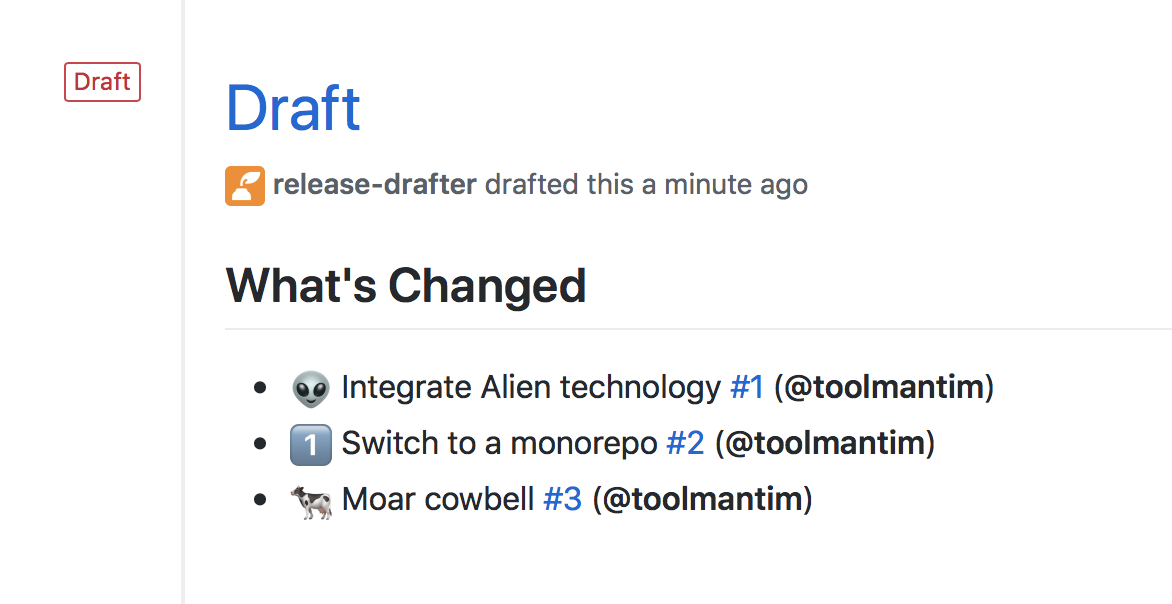
As pull requests are merged, a draft release is kept up-to-date listing the changes, ready to publish when you’re ready.
Template variables
You can use any of the following variables in your template, and they’ll be substituted when the release is regenerated:
| Variable | Description |
|---|---|
$CHANGES |
The markdown list of pull requests that have been merged. |
$PREVIOUS_TAG |
The previous releases’s tag. |
Configuration options
You can configure Release Drafter using the following key in your .github/release-drafter.yml file:
| Key | Required | Description |
|---|---|---|
template |
Required | The template for the body of the draft release. Use template variables to insert values. |
branches |
Optional | The branches to listen for configuration updates to .github/release-drafter.yml and for merge commits. Useful if you want to test the app on a pull request branch. Default is the repository’s default branch. |
Release Drafter also supports Probot Config, if you want to store your configuration files in a central repository.