mirror of
https://github.com/zhigang1992/probot.github.io.git
synced 2026-05-31 01:35:40 +08:00

43 lines
2.8 KiB
Markdown
43 lines
2.8 KiB
Markdown
---
|
|
title: GPG
|
|
description: Enforce GPG signatures on Pull Requests
|
|
slug: gpg
|
|
screenshots:
|
|
- https://user-images.githubusercontent.com/235875/30783301-3b314432-a106-11e7-8e15-68ef7584f076.png
|
|
- https://user-images.githubusercontent.com/235875/30783306-54c68524-a106-11e7-89b4-78bf126d3008.png
|
|
authors: [ jarrodldavis ]
|
|
repository: jarrodldavis/probot-gpg
|
|
stars: 6
|
|
updated: 2017-09-26 09:16:47 UTC
|
|
---
|
|
## Usage
|
|
|
|
[Configure this app](https://github.com/apps/gpg) on your organizations and repositories. Be sure to enable [required status checks](https://help.github.com/articles/about-required-status-checks/) if you want to enforce GPG signatures on all pull requests.
|
|
|
|
## How it works
|
|
|
|
Git supports [signing commits with GPG keys](https://git-scm.com/book/en/v2/Git-Tools-Signing-Your-Work) to verify commit authorship beyond the easy-to-forge [author](https://git-scm.com/docs/git-commit#git-commit---authorltauthorgt) field.
|
|
|
|
GitHub supports [verifying GPG signatures on commits](https://github.com/blog/2144-gpg-signature-verification) and has an excellent [series of help articles](https://help.github.com/articles/signing-commits-with-gpg/) for creating a GPG key, using it with `git` locally, and linking it to your GitHub account.
|
|
|
|
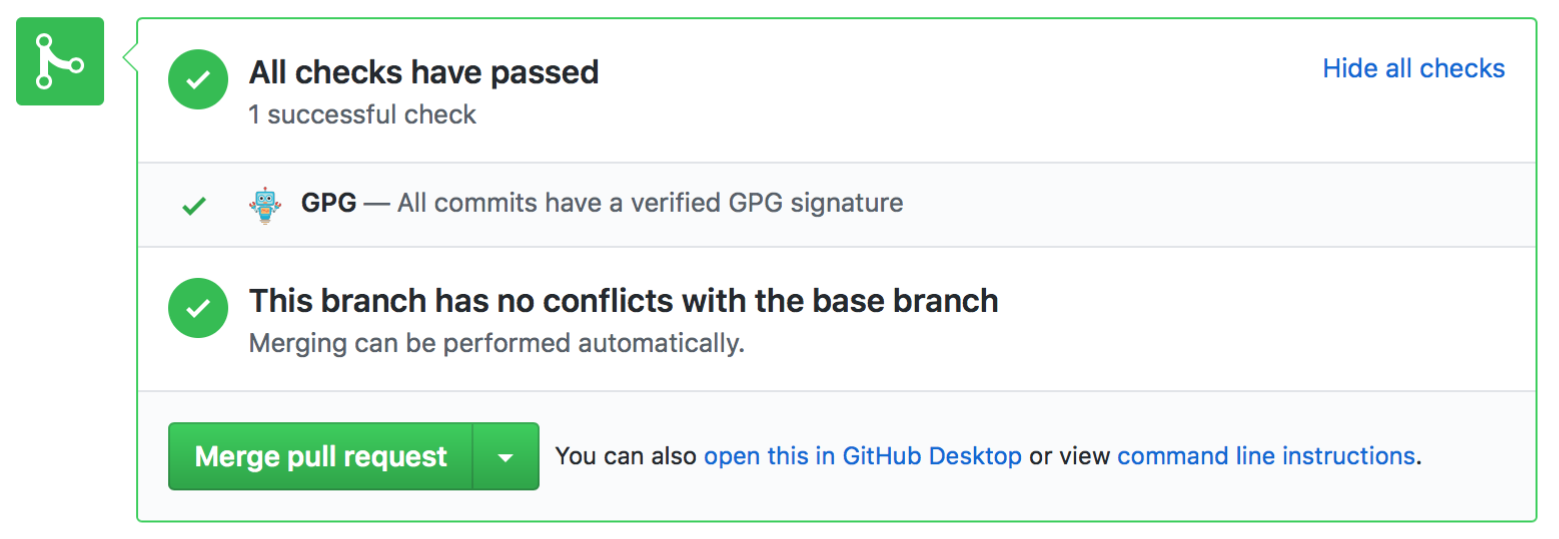
After installation, this app [checks all commits](https://developer.github.com/v3/repos/commits/#compare-two-commits) of new (or newly updated) pull requests for valid GPG signatures [according to the GitHub API](https://developer.github.com/changes/2016-04-04-git-signing-api-preview/). Note that for the status check to pass, _every_ contributor of a pull request must:
|
|
- set up a GPG key on their local machine
|
|
- sign _all_ of their commits in the pull request with that key
|
|
- link that key with their GitHub account
|
|
|
|
|
|
|
|
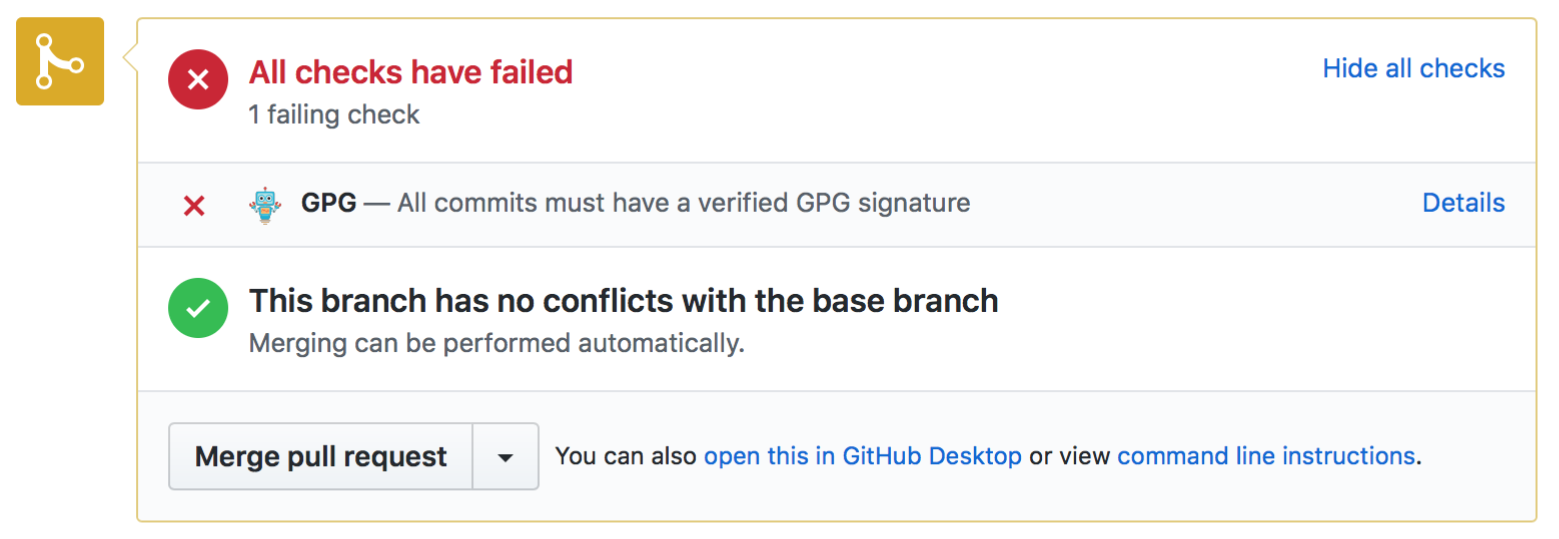
Otherwise, the app will set the status to `failed`.
|
|
|
|
|
|
|
|
## Further reading
|
|
|
|
- [Git Tools - Signing Your Work](https://git-scm.com/book/en/v2/Git-Tools-Signing-Your-Work)
|
|
- [GitHub Help: Signing commits with GPG](https://help.github.com/articles/signing-commits-with-gpg/)
|
|
- [GitHub Help: Troubleshooting GPG](https://help.github.com/articles/troubleshooting-gpg/)
|
|
- [GitHub Blog: GPG signature verification](https://github.com/blog/2144-gpg-signature-verification)
|
|
- [GitHub Developer: Preview support for Git signing](https://developer.github.com/changes/2016-04-04-git-signing-api-preview/)
|
|
- [The GNU Privacy Guard](https://gnupg.org)
|
|
- [Setting up Git commit signing on macOS](https://gist.github.com/bmhatfield/cc21ec0a3a2df963bffa3c1f884b676b)
|