 4bda8f7350
* Add a temporary README file

This commit adds a temporary readme file that points users to the
main README file or the User Guide.

* Add a "getting started" doc

This commit adds a page for getting started, copying the
"Get started now" from the current `README.md`.

* Add link to the get started page from the index page

* Add the getting started doc to the site header

* Add footer link to getting started info

* Add getting started to the sidebar

* Add placeholder for the user guide page

* Add links to the user-guide page as well

* Add auto-generated i18n file

* Move all docusaurus related files into own folder
3.6 KiB
id, title, sidebar_label
| id | title | sidebar_label |
|---|---|---|
| getting-started | Getting started | Getting started |
Quick Overview
npx create-react-app my-app
cd my-app
npm start
(npx comes with npm 5.2+ and higher, see instructions for older npm versions)
Then open http://localhost:3000/ to see your app.
When you’re ready to deploy to production, create a minified bundle with npm run build.
Get Started Immediately
You don’t need to install or configure tools like Webpack or Babel.
They are preconfigured and hidden so that you can focus on the code.
Just create a project, and you’re good to go.
Creating an App
You’ll need to have Node >= 6 on your local development machine (but it’s not required on the server). You can use nvm (macOS/Linux) or nvm-windows to easily switch Node versions between different projects.
To create a new app, you may choose one of the following methods:
npx
npx create-react-app my-app
(npx comes with npm 5.2+ and higher, see instructions for older npm versions)
npm
npm init react-app my-app
npm init <initializer> is available in npm 6+
Yarn
yarn create react-app my-app
yarn create is available in Yarn 0.25+
It will create a directory called my-app inside the current folder.
Inside that directory, it will generate the initial project structure and install the transitive dependencies:
my-app
├── README.md
├── node_modules
├── package.json
├── .gitignore
├── public
│   ├── favicon.ico
│   ├── index.html
│   └── manifest.json
└── src
    ├── App.css
    ├── App.js
    ├── App.test.js
    ├── index.css
    ├── index.js
    ├── logo.svg
    └── registerServiceWorker.js
No configuration or complicated folder structures, just the files you need to build your app.
Once the installation is done, you can open your project folder:
cd my-app
Inside the newly created project, you can run some built-in commands:
npm start or yarn start
Runs the app in development mode.
Open http://localhost:3000 to view it in the browser.
The page will automatically reload if you make changes to the code.
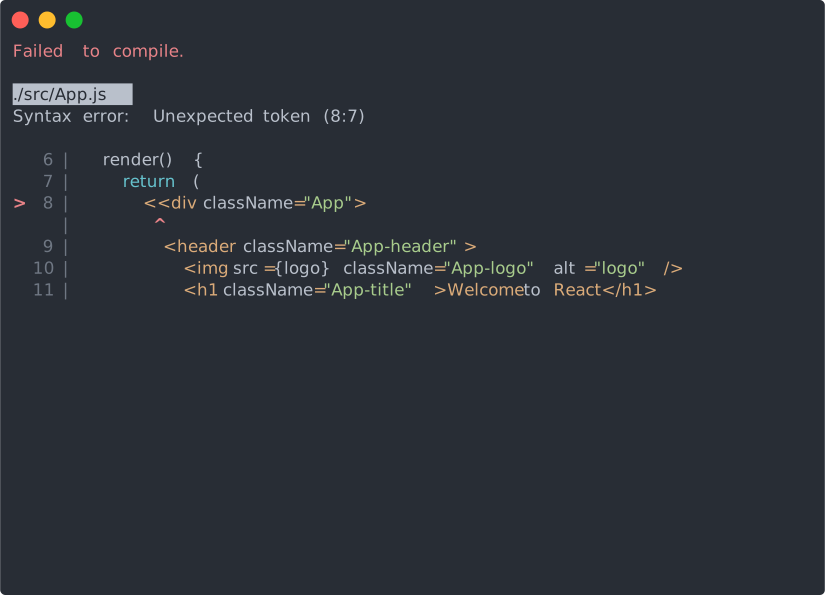
You will see the build errors and lint warnings in the console.
npm test or yarn test
Runs the test watcher in an interactive mode.
By default, runs tests related to files changed since the last commit.
npm run build or yarn build
Builds the app for production to the build folder.
It correctly bundles React in production mode and optimizes the build for the best performance.
The build is minified and the filenames include the hashes.
Your app is ready to be deployed.