mirror of
https://github.com/zhigang1992/react-native.git
synced 2026-04-02 09:21:44 +08:00
 31288161e1
Summary: Allow iOS to have similar accessibility functionality to Android. This PR exposes the `accessibilityElementsHidden` property on iOS which is similar to Android's `importantForAccessibility="no-hide-descendants"` I didn't see any existing examples for testing native props being passed through, but I did add an example to the RNTester app. I've attached some screenshots using the Accessibility Inspector to verify the property was correctly passed through.   I've updated the website with appropriate documentation. https://github.com/facebook/react-native-website/pull/141  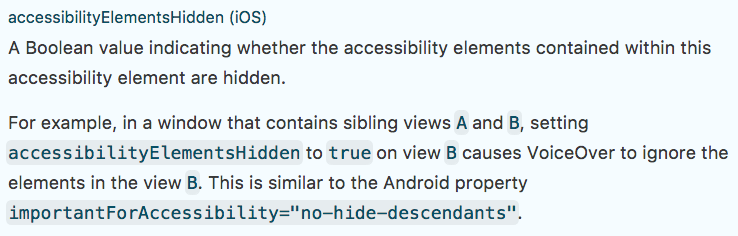 [IOS] [FEATURE] [View] - Added accessibilityElementsHidden property Closes https://github.com/facebook/react-native/pull/17627 Differential Revision: D6806444 Pulled By: hramos fbshipit-source-id: 50d31fdb92f4c59ae9355b019c422418b2e6cc24



119 lines
3.0 KiB
JavaScript
119 lines
3.0 KiB
JavaScript
/**
|
|
* Copyright (c) 2015-present, Facebook, Inc.
|
|
* All rights reserved.
|
|
*
|
|
* This source code is licensed under the BSD-style license found in the
|
|
* LICENSE file in the root directory of this source tree. An additional grant
|
|
* of patent rights can be found in the PATENTS file in the same directory.
|
|
*
|
|
* @flow
|
|
* @providesModule AccessibilityIOSExample
|
|
*/
|
|
'use strict';
|
|
|
|
var React = require('react');
|
|
var ReactNative = require('react-native');
|
|
var {
|
|
AccessibilityInfo,
|
|
Text,
|
|
View,
|
|
} = ReactNative;
|
|
|
|
class AccessibilityIOSExample extends React.Component<{}> {
|
|
render() {
|
|
return (
|
|
<View>
|
|
<View
|
|
onAccessibilityTap={() => alert('onAccessibilityTap success')}
|
|
accessible={true}>
|
|
<Text>
|
|
Accessibility normal tap example
|
|
</Text>
|
|
</View>
|
|
<View onMagicTap={() => alert('onMagicTap success')}
|
|
accessible={true}>
|
|
<Text>
|
|
Accessibility magic tap example
|
|
</Text>
|
|
</View>
|
|
<View accessibilityLabel="Some announcement"
|
|
accessible={true}>
|
|
<Text>
|
|
Accessibility label example
|
|
</Text>
|
|
</View>
|
|
<View accessibilityTraits={['button', 'selected']}
|
|
accessible={true}>
|
|
<Text>
|
|
Accessibility traits example
|
|
</Text>
|
|
</View>
|
|
<Text>
|
|
Text's accessibilityLabel is the raw text itself unless it is set explicitly.
|
|
</Text>
|
|
<Text accessibilityLabel="Test of accessibilityLabel"
|
|
accessible={true}>
|
|
This text component's accessibilityLabel is set explicitly.
|
|
</Text>
|
|
<View accessibilityElementsHidden={true}>
|
|
<Text>This view's children are hidden from the accessibility tree</Text>
|
|
</View>
|
|
</View>
|
|
);
|
|
}
|
|
}
|
|
|
|
class ScreenReaderStatusExample extends React.Component<{}, $FlowFixMeState> {
|
|
state = {
|
|
screenReaderEnabled: false,
|
|
}
|
|
|
|
componentDidMount() {
|
|
AccessibilityInfo.addEventListener(
|
|
'change',
|
|
this._handleScreenReaderToggled
|
|
);
|
|
AccessibilityInfo.fetch().done((isEnabled) => {
|
|
this.setState({
|
|
screenReaderEnabled: isEnabled
|
|
});
|
|
});
|
|
}
|
|
|
|
componentWillUnmount() {
|
|
AccessibilityInfo.removeEventListener(
|
|
'change',
|
|
this._handleScreenReaderToggled
|
|
);
|
|
}
|
|
|
|
_handleScreenReaderToggled = (isEnabled) => {
|
|
this.setState({
|
|
screenReaderEnabled: isEnabled,
|
|
});
|
|
}
|
|
|
|
render() {
|
|
return (
|
|
<View>
|
|
<Text>
|
|
The screen reader is {this.state.screenReaderEnabled ? 'enabled' : 'disabled'}.
|
|
</Text>
|
|
</View>
|
|
);
|
|
}
|
|
}
|
|
|
|
exports.title = 'AccessibilityIOS';
|
|
exports.description = 'Interface to show iOS\' accessibility samples';
|
|
exports.examples = [
|
|
{
|
|
title: 'Accessibility elements',
|
|
render(): React.Element<any> { return <AccessibilityIOSExample />; }
|
|
},
|
|
{
|
|
title: 'Check if the screen reader is enabled',
|
|
render(): React.Element<any> { return <ScreenReaderStatusExample />; }
|
|
},
|
|
];
|