# React-Native Keyboard Manager
[](https://github.com/douglasjunior/react-native-keyboard-manager/blob/master/LICENSE)
[](https://www.npmjs.com/package/react-native-keyboard-manager)
[](#install)
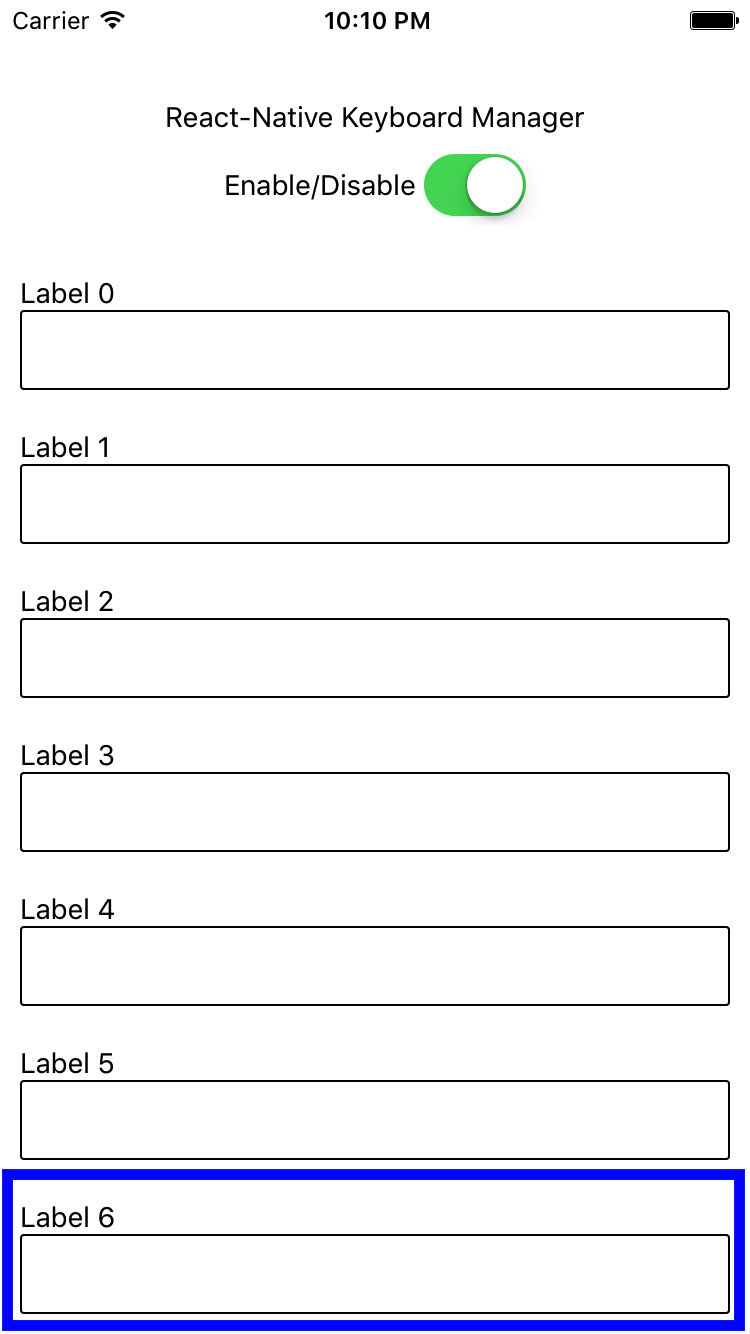
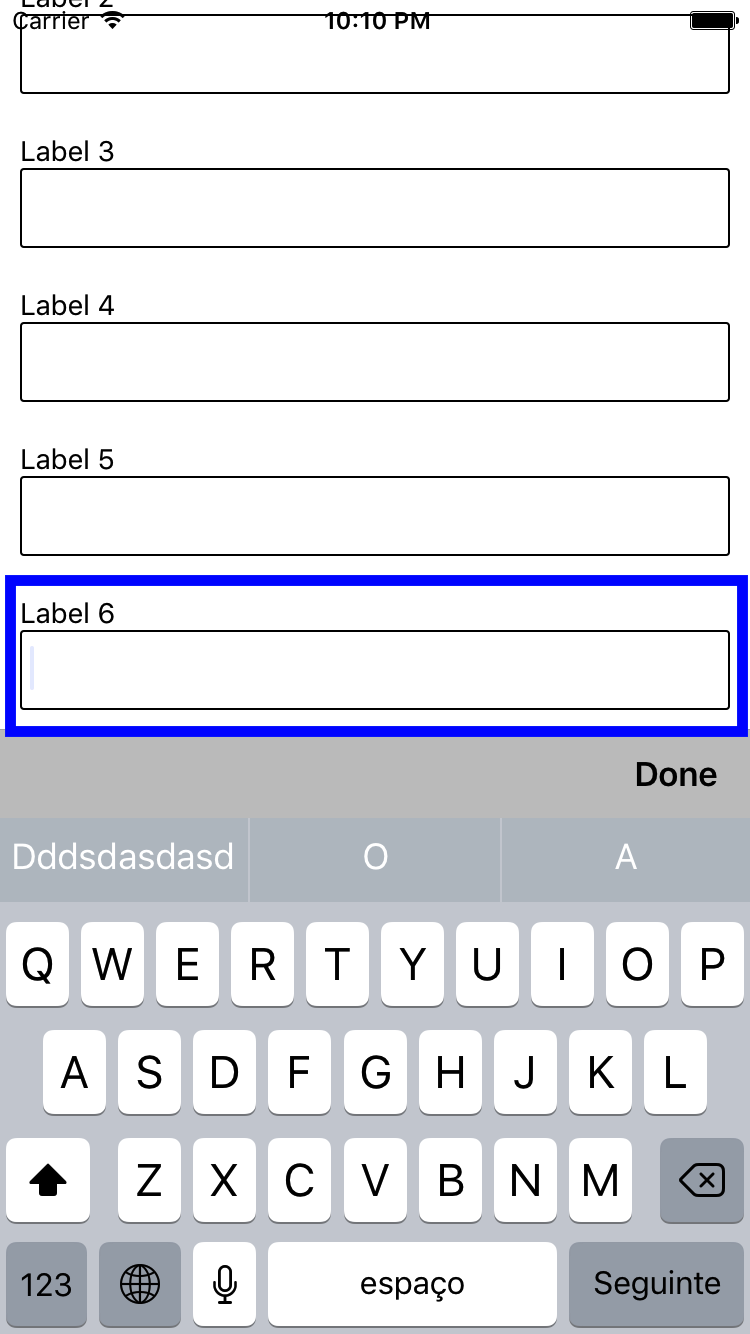
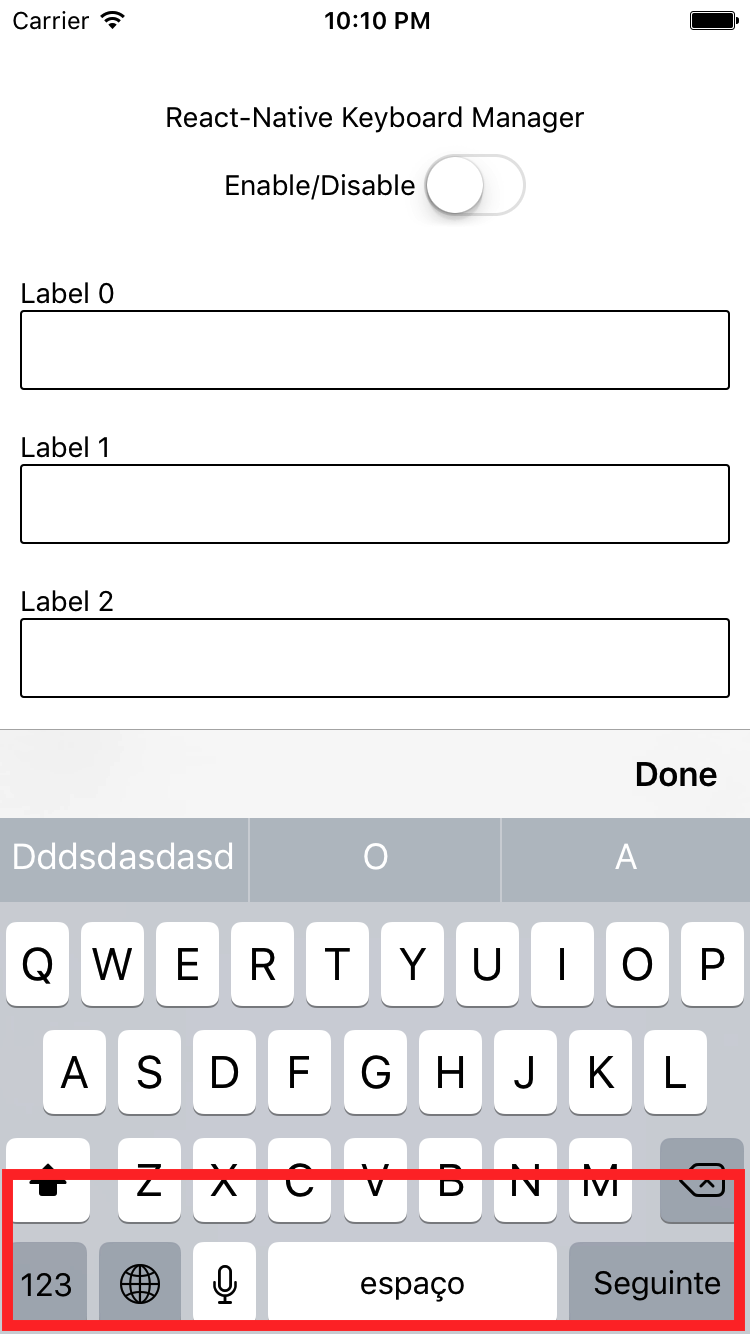
Library to prevent issues of keyboard sliding up and cover inputs on React-Native iOS projects ⚛. Thanks to awesome [IQKeyboardManager](https://github.com/hackiftekhar/IQKeyboardManager) ❤️.
This is only for iOS, Android no needed. For Android just add `android:windowSoftInputMode="adjustResize"` to your activity.
## Screenshots
| Enabled | Disabled |
| - | - |
| 
 |
|  |
|
|
|  |
| - |
| _Credits: IQKeyboardManager_ |
## NOTES:
- for RN 0.60.0 or later use `react-native-keyboard-manager@latest`
- for RN 0.53.0 ... 0.59.10, use `react-native-keyboard-manager@4.0.13-12`
- for RN 0.47.0 ... 0.52.2, use `react-native-keyboard-manager@4.0.13-5`
- for RN 0.40.0 ... 0.46.4, use `react-native-keyboard-manager@4.0.13-1`
## Install
```bash
yarn add react-native-keyboard-manager
```
Or
```bash
npm i -S react-native-keyboard-manager
```
## Auto linking
If you are using `React Native 0.60.+` go to the folder **your-project/ios** and run `pod install`, and you're done.
If not, use one of the following methods to link.
## Link with `react-native link`:
1. Link the native project
```bash
react-native link react-native-keyboard-manager
```
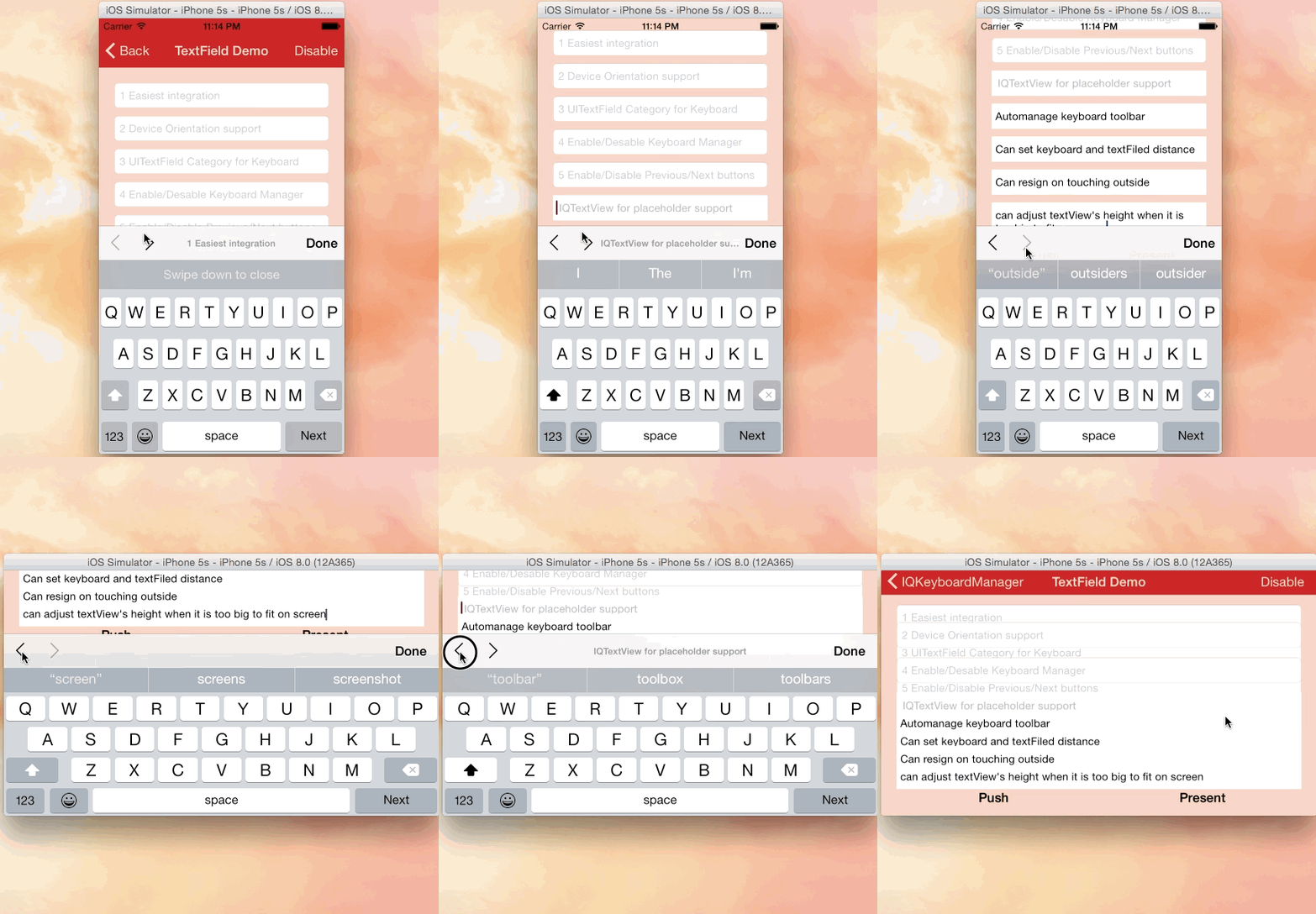
2. (Optional) If you want to use Next/Previous buttons, link the IQKeyboardManager resources to your Xcode project.
1. Open your Xcode project
2. Got to folder **your-project/node_modules/react-native-keyboard-manager/ios/IQKeyboardManager/**
3. Drag and drop the **Resources** folder to your project root. (If you already have **Resources** group, drag and drop the **IQKeyboardManager.bundle**)
|
| - |
| _Credits: IQKeyboardManager_ |
## NOTES:
- for RN 0.60.0 or later use `react-native-keyboard-manager@latest`
- for RN 0.53.0 ... 0.59.10, use `react-native-keyboard-manager@4.0.13-12`
- for RN 0.47.0 ... 0.52.2, use `react-native-keyboard-manager@4.0.13-5`
- for RN 0.40.0 ... 0.46.4, use `react-native-keyboard-manager@4.0.13-1`
## Install
```bash
yarn add react-native-keyboard-manager
```
Or
```bash
npm i -S react-native-keyboard-manager
```
## Auto linking
If you are using `React Native 0.60.+` go to the folder **your-project/ios** and run `pod install`, and you're done.
If not, use one of the following methods to link.
## Link with `react-native link`:
1. Link the native project
```bash
react-native link react-native-keyboard-manager
```
2. (Optional) If you want to use Next/Previous buttons, link the IQKeyboardManager resources to your Xcode project.
1. Open your Xcode project
2. Got to folder **your-project/node_modules/react-native-keyboard-manager/ios/IQKeyboardManager/**
3. Drag and drop the **Resources** folder to your project root. (If you already have **Resources** group, drag and drop the **IQKeyboardManager.bundle**)
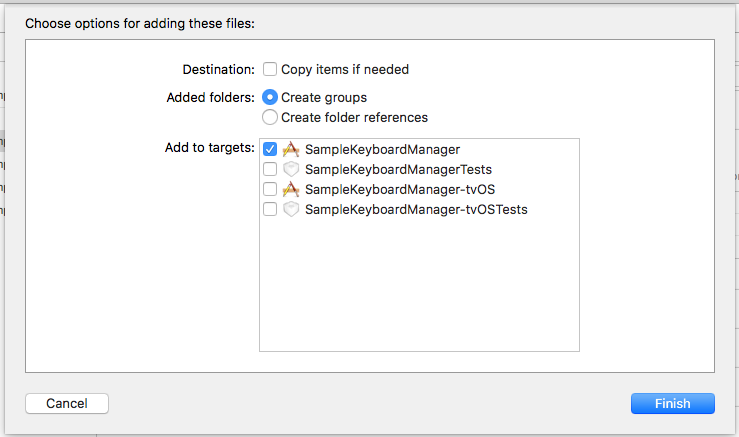
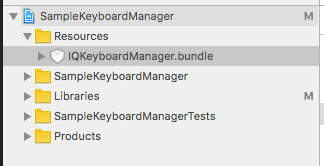 4. In your `index.js`:
```js
if (Platform.OS === 'ios') {
KeyboardManager.setToolbarPreviousNextButtonEnable(true);
}
```
## Link with cocoapods:
1. Add this line to your Podfile
```bash
pod 'ReactNativeKeyboardManager', :path => '../node_modules/react-native-keyboard-manager'
```
2. run
```bash
pod install
```
## Use
It does not need any library setup to work, just [install](#install) and go.
But, if you need some configuration, there are some options available. (with default values)
```js
import { Platform } from 'react-native';
import KeyboardManager from 'react-native-keyboard-manager';
if (Platform.OS === 'ios') {
KeyboardManager.setEnable(true);
KeyboardManager.setEnableDebugging(false);
KeyboardManager.setKeyboardDistanceFromTextField(10);
KeyboardManager.setPreventShowingBottomBlankSpace(true);
KeyboardManager.setEnableAutoToolbar(true);
KeyboardManager.setToolbarDoneBarButtonItemText("Done");
KeyboardManager.setToolbarManageBehaviour(0);
KeyboardManager.setToolbarPreviousNextButtonEnable(false);
KeyboardManager.setShouldToolbarUsesTextFieldTintColor(false);
KeyboardManager.setShouldShowTextFieldPlaceholder(true); // deprecated, use setShouldShowToolbarPlaceholder
KeyboardManager.setShouldShowToolbarPlaceholder(true);
KeyboardManager.setOverrideKeyboardAppearance(false);
KeyboardManager.setShouldResignOnTouchOutside(true);
KeyboardManager.resignFirstResponder();
KeyboardManager.isKeyboardShowing()
.then((isShowing) => {
// ...
});
}
```
### Enable Next/Previous buttons
If you want to use Next/Previous buttons, enable it.
> If you linked using `react-native link`, make sure you [linked the resource file](#link-with-react-native-link).
```js
if (Platform.OS === 'ios') {
KeyboardManager.setToolbarPreviousNextButtonEnable(true);
}
```
And if you want to use Next/Previous buttons inside a `Modal`, you need to wrap the fields in a `PreviousNextView`.
```jsx
class App extends Component {
render() {
return (
// others views
// others views
// all TextInput
);
}
}
```
For more details, see the [Sample Project](https://github.com/douglasjunior/react-native-keyboard-manager/blob/master/Sample/App.js) and the official [IQKeyboardManager documentation](https://github.com/hackiftekhar/IQKeyboardManager/tree/v4.0.13).
## Contribute
New features, bug fixes and improvements are welcome! For questions and suggestions use the [issues](https://github.com/douglasjunior/react-native-keyboard-manager/issues).
4. In your `index.js`:
```js
if (Platform.OS === 'ios') {
KeyboardManager.setToolbarPreviousNextButtonEnable(true);
}
```
## Link with cocoapods:
1. Add this line to your Podfile
```bash
pod 'ReactNativeKeyboardManager', :path => '../node_modules/react-native-keyboard-manager'
```
2. run
```bash
pod install
```
## Use
It does not need any library setup to work, just [install](#install) and go.
But, if you need some configuration, there are some options available. (with default values)
```js
import { Platform } from 'react-native';
import KeyboardManager from 'react-native-keyboard-manager';
if (Platform.OS === 'ios') {
KeyboardManager.setEnable(true);
KeyboardManager.setEnableDebugging(false);
KeyboardManager.setKeyboardDistanceFromTextField(10);
KeyboardManager.setPreventShowingBottomBlankSpace(true);
KeyboardManager.setEnableAutoToolbar(true);
KeyboardManager.setToolbarDoneBarButtonItemText("Done");
KeyboardManager.setToolbarManageBehaviour(0);
KeyboardManager.setToolbarPreviousNextButtonEnable(false);
KeyboardManager.setShouldToolbarUsesTextFieldTintColor(false);
KeyboardManager.setShouldShowTextFieldPlaceholder(true); // deprecated, use setShouldShowToolbarPlaceholder
KeyboardManager.setShouldShowToolbarPlaceholder(true);
KeyboardManager.setOverrideKeyboardAppearance(false);
KeyboardManager.setShouldResignOnTouchOutside(true);
KeyboardManager.resignFirstResponder();
KeyboardManager.isKeyboardShowing()
.then((isShowing) => {
// ...
});
}
```
### Enable Next/Previous buttons
If you want to use Next/Previous buttons, enable it.
> If you linked using `react-native link`, make sure you [linked the resource file](#link-with-react-native-link).
```js
if (Platform.OS === 'ios') {
KeyboardManager.setToolbarPreviousNextButtonEnable(true);
}
```
And if you want to use Next/Previous buttons inside a `Modal`, you need to wrap the fields in a `PreviousNextView`.
```jsx
class App extends Component {
render() {
return (
// others views
// others views
// all TextInput
);
}
}
```
For more details, see the [Sample Project](https://github.com/douglasjunior/react-native-keyboard-manager/blob/master/Sample/App.js) and the official [IQKeyboardManager documentation](https://github.com/hackiftekhar/IQKeyboardManager/tree/v4.0.13).
## Contribute
New features, bug fixes and improvements are welcome! For questions and suggestions use the [issues](https://github.com/douglasjunior/react-native-keyboard-manager/issues).
 [](https://www.paypal.com/cgi-bin/webscr?cmd=_s-xclick&hosted_button_id=E32BUP77SVBA2)
## Licence
```
The MIT License (MIT)
Copyright (c) 2017 Douglas Nassif Roma Junior
```
See the full [licence file](https://github.com/douglasjunior/react-native-keyboard-manager/blob/master/LICENSE).
## IQKeyboardManager License
```
The MIT License (MIT)
Copyright (c) 2013-16 Iftekhar Qurashi
```
See the full [IQKeyboardManager licence file](https://github.com/hackiftekhar/IQKeyboardManager/blob/master/LICENSE.md).
[](https://www.paypal.com/cgi-bin/webscr?cmd=_s-xclick&hosted_button_id=E32BUP77SVBA2)
## Licence
```
The MIT License (MIT)
Copyright (c) 2017 Douglas Nassif Roma Junior
```
See the full [licence file](https://github.com/douglasjunior/react-native-keyboard-manager/blob/master/LICENSE).
## IQKeyboardManager License
```
The MIT License (MIT)
Copyright (c) 2013-16 Iftekhar Qurashi
```
See the full [IQKeyboardManager licence file](https://github.com/hackiftekhar/IQKeyboardManager/blob/master/LICENSE.md).