mirror of
https://github.com/zhigang1992/graphql-engine.git
synced 2026-05-30 12:15:27 +08:00

vuetify-vuex-todo-graphql
A simple Todo PWA (Progressive Web App) inspired by TodoMVC, Vue.js, Vuex and Vuetify technologies, forked from davidgararo/vuetify-todo-pwa, adding Hasura GraphQL integration

Tutorial
-
Deploy Postgres and GraphQL Engine on Heroku:

Please checkout our docs for other deployment methods
-
Get the Heroku app URL (say
my-app.herokuapp.com) -
Create
todostable:Open Hasura console: visit https://my-app.herokuapp.com on a browser
Navigate toDatasection in the top nav bar and create a table as follows: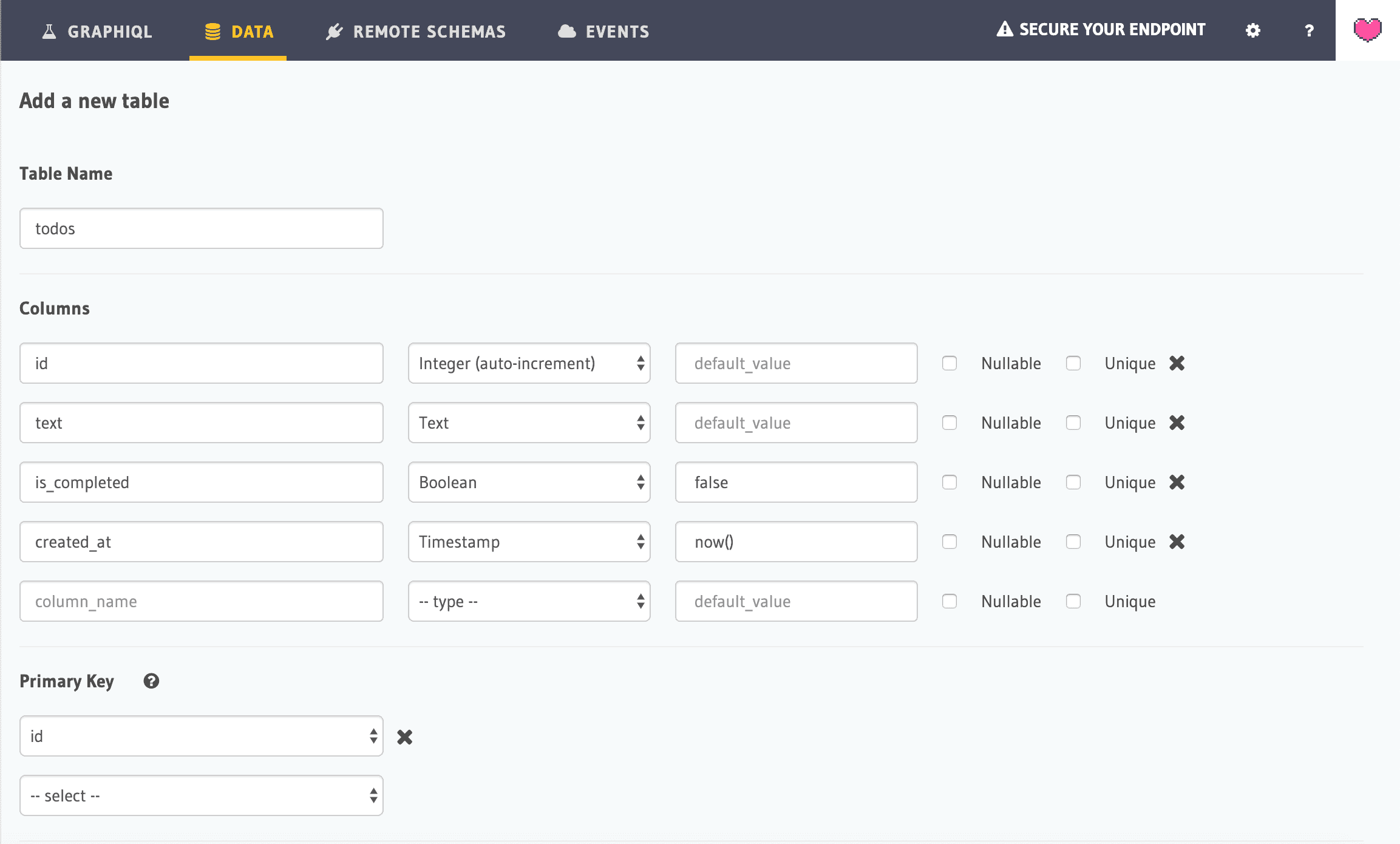
-
Clone this repo:
git clone https://github.com/hasura/graphql-engine cd graphql-engine/community/sample-apps/vuetify-vuex-todo-graphql -
Install node modules:
npm install -
Open
src/apollo.jsand configure Hasura's GraphQL Endpoint as follows:
import Vue from 'vue'
import VueApollo from 'vue-apollo'
import { ApolloClient } from 'apollo-client'
import { HttpLink } from 'apollo-link-http'
import { InMemoryCache } from 'apollo-cache-inmemory'

const httpLink = new HttpLink({
  // You should use an absolute URL here
  uri: 'https://myapp.herokuapp.com/v1/graphql'
})

// Create the apollo client
export const apolloClient = new ApolloClient({
  link: httpLink,
  cache: new InMemoryCache(),
  connectToDevTools: true
})

const apolloProvider = new VueApollo({
  defaultClient: apolloClient
})

// Install the vue plugin
Vue.use(VueApollo)

export default apolloProvider
In the httpLink, replace myapp.herokuapp.com with your own Heroku URL of Hasura GraphQL Engine that you deployed above
- Compile and hot-reload for development
npm run serve
- Production Build
npm run build