---
id: getting-started
title: Getting Started
---
Create React App is an officially supported way to create single-page React
applications. It offers a modern build setup with no configuration.
## Quick Start
```sh
npx create-react-app my-app
cd my-app
npm start
```
_([npx](https://medium.com/@maybekatz/introducing-npx-an-npm-package-runner-55f7d4bd282b) comes with npm 5.2+ and higher, see [instructions for older npm versions](https://gist.github.com/gaearon/4064d3c23a77c74a3614c498a8bb1c5f))_
Then open [http://localhost:3000/](http://localhost:3000/) to see your app.
When you’re ready to deploy to production, create a minified bundle with `npm run build`.
### Get Started Immediately
You **don’t** need to install or configure tools like Webpack or Babel.
They are preconfigured and hidden so that you can focus on the code.
Just create a project, and you’re good to go.
## Creating an App
**You’ll need to have Node >= 6 on your local development machine** (but it’s not required on the server). You can use [nvm](https://github.com/creationix/nvm#installation) (macOS/Linux) or [nvm-windows](https://github.com/coreybutler/nvm-windows#node-version-manager-nvm-for-windows) to easily switch Node versions between different projects.
To create a new app, you may choose one of the following methods:
### npx
```sh
npx create-react-app my-app
```
_([npx](https://medium.com/@maybekatz/introducing-npx-an-npm-package-runner-55f7d4bd282b) comes with npm 5.2+ and higher, see [instructions for older npm versions](https://gist.github.com/gaearon/4064d3c23a77c74a3614c498a8bb1c5f))_
### npm
```sh
npm init react-app my-app
```
_`npm init ` is available in npm 6+_
### Yarn
```sh
yarn create react-app my-app
```
_`yarn create` is available in Yarn 0.25+_
## Output
Running either of these commands will create a directory called `my-app` inside the current folder.
Inside that directory, it will generate the initial project structure and install the transitive dependencies:
```
my-app
├── README.md
├── node_modules
├── package.json
├── .gitignore
├── public
│ ├── favicon.ico
│ ├── index.html
│ └── manifest.json
└── src
├── App.css
├── App.js
├── App.test.js
├── index.css
├── index.js
├── logo.svg
└── registerServiceWorker.js
```
No configuration or complicated folder structures, just the files you need to build your app.
Once the installation is done, you can open your project folder:
```sh
cd my-app
```
## Scripts
Inside the newly created project, you can run some built-in commands:
### `npm start` or `yarn start`
Runs the app in development mode.
Open [http://localhost:3000](http://localhost:3000) to view it in the browser.
The page will automatically reload if you make changes to the code.
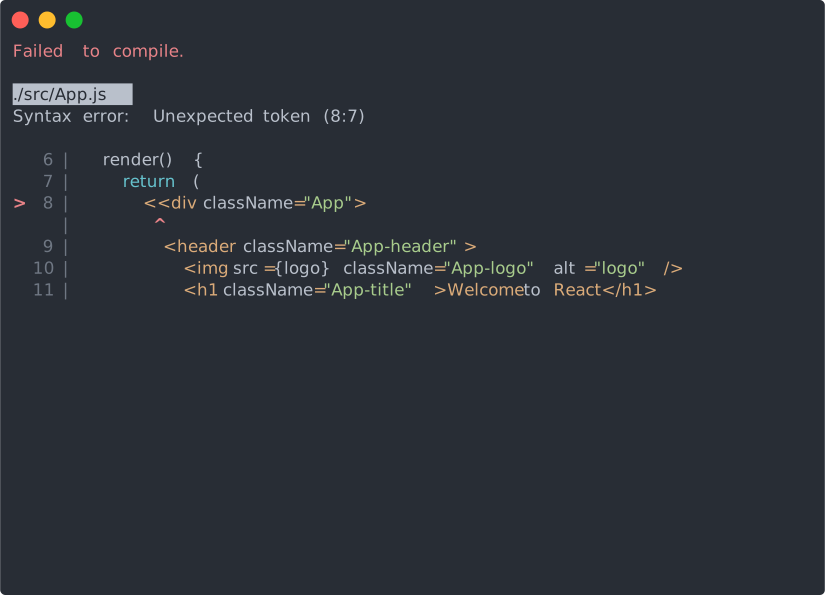
You will see the build errors and lint warnings in the console.
### `npm test` or `yarn test`
Runs the test watcher in an interactive mode.
By default, runs tests related to files changed since the last commit.
[Read more about testing.](https://github.com/facebook/create-react-app/blob/master/packages/react-scripts/template/README.md#running-tests)
### `npm run build` or `yarn build`
Builds the app for production to the `build` folder.
It correctly bundles React in production mode and optimizes the build for the best performance.
The build is minified and the filenames include the hashes.
Your app is ready to be deployed.